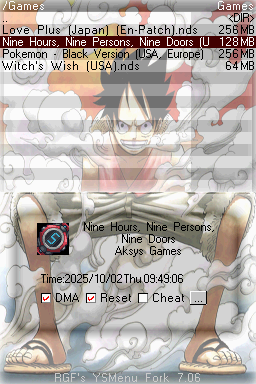
OnePiece Luffy Gear Second
ryugiDownloads
Download OnePiece Luffy Gear Second.7z Last Updated:
Theme Installation Instructions
-
Download
OnePiece Luffy Gear Second.7z. -
Open/Extract the
.7zarchive. You can use 7-Zip to do this. -
Inside the 7z archive, you will find a folder called
OnePiece Luffy Gear Second. - From this folder, copy
YSMenu.ini,YSMenu1.bmpandYSMenu2.bmpinto theTTMenufolder on your flashcart’s SD card.- (Replace files when asked)
- Place the SD card back into your cart, and boot into the menu.